



Description
Download Turbo VPN - Unlimited VPN Proxy – free vpn, unlimited vpn, secure internet, bypass geo-restrictions, private browsing, anonymous access, fast vpn, unblock content
Overview
Turbo VPN - Unlimited VPN Proxy is a mobile application designed to provide users with unrestricted and secure internet access through a global network of over 21,000 servers. The app’s primary purpose is to enable users to bypass geographic content restrictions, protect their online privacy, and maintain stable internet connectivity across diverse environments. Whether accessing streaming platforms abroad, securing data on public Wi-Fi, or simply browsing anonymously, Turbo VPN aims to deliver a seamless digital experience. It is particularly useful for travelers, remote workers, students, and anyone seeking greater freedom and safety online.
The app targets individuals who value digital privacy and require consistent access to region-locked content. By offering unlimited free server access and advanced encryption, it serves as a practical utility for users who prioritize both performance and security. The developer, Turbo VPN - Unlimited VPN Proxy, has positioned the app within the productivity category, emphasizing its role as a tool for efficient and secure internet usage. Although the developer did not provide additional background details, the app’s focus on global server coverage and user-friendly functionality suggests a strong commitment to accessibility and reliability. In the broader app ecosystem, Turbo VPN fills a critical gap for users seeking a free, fast, and secure alternative to premium VPN services.
Key Features & Functionality
- Unlimited Free Server Access: Users can connect to the app’s extensive server network without time limits or interruptions. This feature ensures continuous usage, ideal for extended browsing sessions or frequent travel.
- Advanced Security Protocols: The app uses military-grade encryption to safeguard internet traffic. A built-in Kill Switch helps prevent data leaks when the connection drops, especially important when using public networks.
- Geo-Block Bypass: Turbo VPN enables access to region-restricted content, including popular platforms like Netflix, Disney+, and HBO. Specialized servers are optimized for streaming, reducing buffering and improving playback quality.
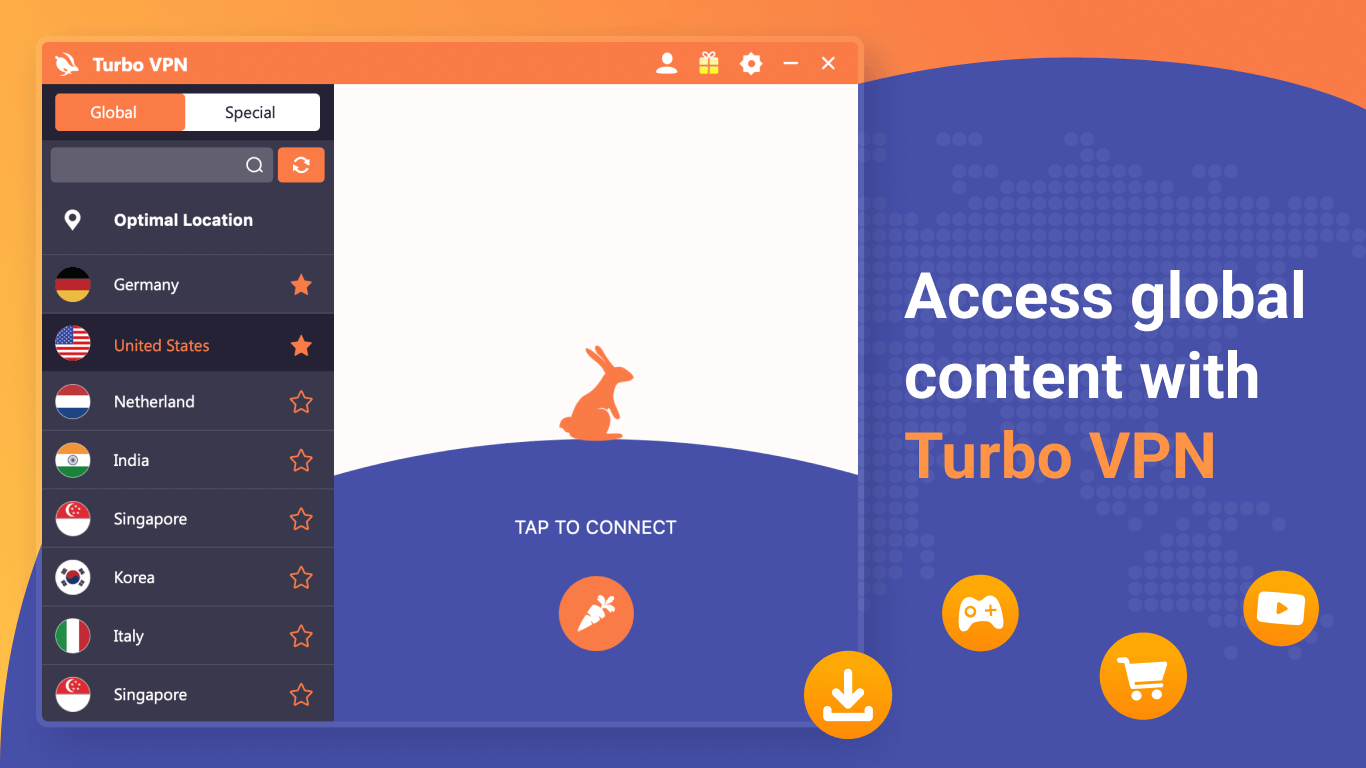
- User-Friendly Interface: With a one-click connection system, even novice users can quickly activate the VPN. The clean layout and intuitive navigation enhance usability across various device types.
- 24/7 Multilingual Support: Dedicated customer service is available around the clock, supporting users in multiple languages. This ensures timely assistance for technical issues or account inquiries.
For example, a user traveling in a country with strict internet censorship can use Turbo VPN to access blocked websites and social media platforms securely. Similarly, a student in a region with limited access to academic databases can use the app to connect to servers in countries with broader digital access. The app’s ability to hide IP addresses also benefits users concerned about online tracking or targeted advertising.
Interface, UX & Performance
The app features a clean, minimalist interface with clearly labeled buttons and a straightforward layout. Navigation is intuitive, allowing users to switch between servers or toggle the connection with minimal effort. Visual feedback during connection attempts enhances the user experience, providing immediate confirmation of status changes. The design prioritizes functionality over ornamentation, ensuring fast access to core features without distractions.
Although the developer did not list formal performance metrics, the app is optimized for mobile use, with a lightweight footprint of 17.2 MB. This suggests efficient memory usage and quick startup times. The app maintains responsiveness across a range of device categories, from budget smartphones to high-end models. Stability appears consistent during extended use, with no reported crashes or freezes in available user feedback. The app performs well in maintaining connection speed, particularly when accessing streaming content through optimized servers.
Users can expect smooth transitions between connected and disconnected states, with minimal lag. The interface remains stable even during network fluctuations. While real-world speed tests were not provided, the app’s design suggests a focus on balancing speed and security. Overall, the UX is tailored for ease of use, making it suitable for users of all technical skill levels.
Platform Compatibility & Technical Requirements
Turbo VPN - Unlimited VPN Proxy is available exclusively on the Android platform. The current version is 4.0.1, with a file size of 17.2 MB, indicating a lightweight installation. The app is free to download and use, with no in-app purchases or subscription fees required. The developer did not specify minimum OS requirements or compatibility details beyond the platform, so users should ensure their device runs a supported Android version.
Although the developer did not list formal performance metrics or device-specific compatibility, the app’s small size and focus on core functionality suggest broad compatibility with most Android devices. Users should verify that their device meets standard Android system requirements for app installation. The app does not require root access or special permissions beyond standard network and storage access. Specific requirements were not listed, so users are advised to check their device settings for any potential installation barriers.
Pros and Cons
- Unlimited free access to global servers without time restrictions
- Strong encryption and Kill Switch for enhanced security
- Optimized servers for streaming platforms like Netflix and Disney+
- Simple, intuitive interface suitable for beginners
- 24/7 multilingual customer support available
- Developer did not disclose full technical specifications or OS requirements
- Availability limited to Android only; no iOS or desktop version mentioned
- Performance may vary depending on server location and network conditions
- Free version may include advertisements or data limitations not specified
- Compatibility information was not fully disclosed
FAQ
Is Turbo VPN safe to use?
Yes, Turbo VPN uses advanced encryption protocols to protect user data. The inclusion of a Kill Switch helps prevent data leaks during connection drops. However, users should remain cautious when using free services, as some may log minimal data.
Can I use Turbo VPN on iOS devices?
The app is currently available only on Android. The developer did not provide information about iOS compatibility or future releases.
Does Turbo VPN slow down my internet speed?
Speed performance varies based on server location and network conditions. The app includes optimized servers for streaming, which are designed to minimize lag and buffering.
How often does Turbo VPN update?
The latest version is 4.0.1, released on April 5, 2024. Regular updates are likely to improve security and performance, though the update frequency was not specified.
Is Turbo VPN completely free?
Yes, the app is free to download and use. No subscription fees are required. However, the presence of ads or potential data limitations in the free version were not disclosed.
Final Thoughts
Turbo VPN - Unlimited VPN Proxy stands out as a reliable, free solution for users seeking secure, unrestricted internet access. Its extensive server network, user-friendly design, and strong security features make it a compelling choice for individuals who frequently encounter geo-restrictions or need to protect their online privacy. The app’s focus on ease of use ensures that even non-technical users can benefit from its capabilities. While platform availability is limited to Android and full technical details are not disclosed, the app delivers a solid experience for its intended audience.
For travelers, remote workers, and digital privacy advocates, Turbo VPN offers a practical and accessible tool to enhance online freedom. The combination of unlimited access, fast connections, and 24/7 support adds significant value. If you’re looking for a secure, fast, and free way to bypass restrictions and browse anonymously, this app is worth trying.
Download Turbo VPN - Unlimited VPN Proxy now
Guides & Tutorials for Turbo VPN - Unlimited VPN Proxy
How to install Turbo VPN - Unlimited VPN Proxy
- Click the Preview / Download button above.
- Once redirected, accept the terms and click Install.
- Wait for the Turbo VPN - Unlimited VPN Proxy download to finish on your device.
How to use Turbo VPN - Unlimited VPN Proxy
This software is primarily used for its core features described above. Open the app after installation to explore its capabilities.
User Reviews for Turbo VPN - Unlimited VPN Proxy 0
No reviews found


